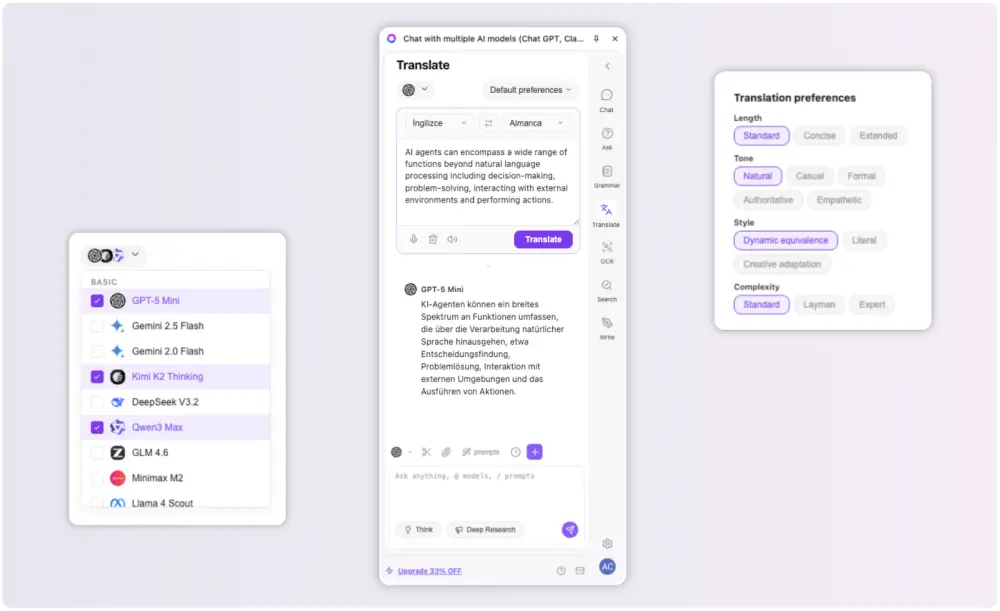
Chat GPT luôn cạnh source
Page vẫn mở, còn sidebar hỗ trợ asking, summarizing, rewriting và translating mà không mất context.

GPT Sidebar đưa Chat GPT và các AI models hàng đầu vào browser side panel để bạn summarize pages, đặt questions, write, translate và compare answers mà không cần đổi tabs.
1
sidebar for Chat GPT, Claude and Gemini
5+
core workflows: chat, summarize, write, translate, OCR
0
extra tabs required while you work through a page
 OpenAI
 Claude
 Gemini
 DeepSeek
 Grok
Grok Mistral
 Perplexity
 Qwen
Qwen LlamaOpenAIClaudeGeminiDeepSeekGrokMistralPerplexityQwenLlama
ChatGPT Sidebar Extension
GPT Sidebar biến browser side panel thành một AI workspace thực tế. Thay vì copying page text sang chat window riêng, bạn giữ Chat GPT gần article, document, search result hoặc video đang đọc.
Page vẫn mở, còn sidebar hỗ trợ asking, summarizing, rewriting và translating mà không mất context.
Chuyển giữa Chat GPT, Claude, Gemini và các models khác để compare answers và tìm kết quả đáng tin cậy nhanh hơn.
Giữ current page, prompt và answer trong cùng browser window thay vì nhảy qua lại giữa nhiều công cụ.
Chế độ làm việc
Mỗi browsing task cần một kiểu AI help khác nhau. GPT Sidebar đặt Chat GPT, Claude và Gemini cạnh current page, để research, writing, learning và translation vẫn gắn với source.
Research
Summarize this page and list the claims I should verify.
Summarize this page and list the claims I should verify.
Current page
Article, document, search result or video remains visible while the sidebar works beside it.
Chat GPT answer
Page-aware summary with source context
Workflow
GPT Sidebar giữ source, prompt và answer trong cùng browser workspace. Điều đó nghĩa là ít context switching hơn, ít prompt lặp lại hơn và một luồng mượt hơn từ việc đọc page đến dùng điều bạn vừa học.
01
Articles, product docs, search results, videos and internal tools stay visible while GPT Sidebar works beside them.
02
Use Chat GPT or another model to summarize, compare, rewrite, translate or extract details from the current task.
03
Keep the useful answer, ask a follow-up and continue working without rebuilding context in a separate tab.
Copy page text, open a new Chat GPT tab, paste the context and return to the source.
Ask inside the browser side panel while the source remains visible.
Switch between different AI tools to compare answers.
Use multiple leading models from one ChatGPT Sidebar Extension.
Lose time rebuilding context for summaries, writing and translation.
Keep the conversation attached to the browsing workflow.
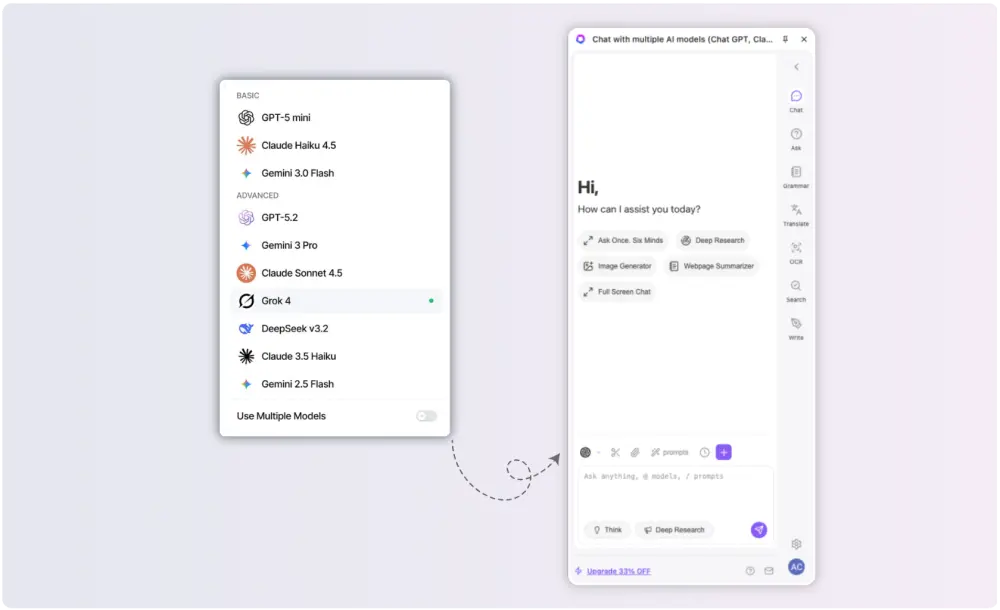
Dùng Chat GPT, Claude, Gemini, DeepSeek, Grok và Mistral từ cùng một browser side panel. GPT Sidebar giữ model switching ngay cạnh page bạn đang làm việc, giúp compare answers, kiểm tra ideas và chọn phản hồi mạnh nhất mà không làm đứt workflow.
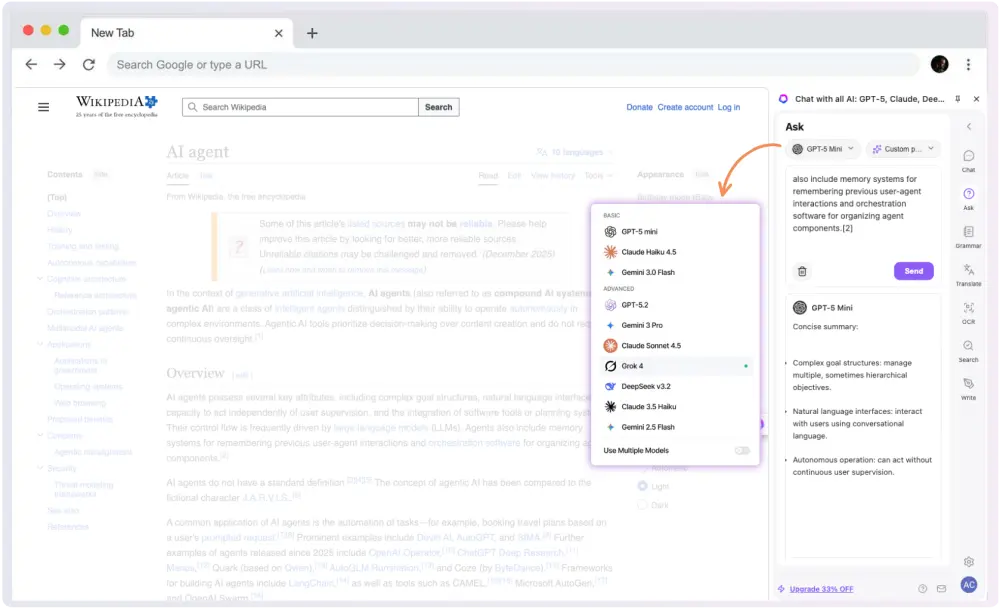
Biến articles, documents, search results và videos thành conversation hữu ích. Sidebar giúp đặt câu hỏi có current tab context, lấy ra details quan trọng và chuyển từ reading sang action nhanh hơn.
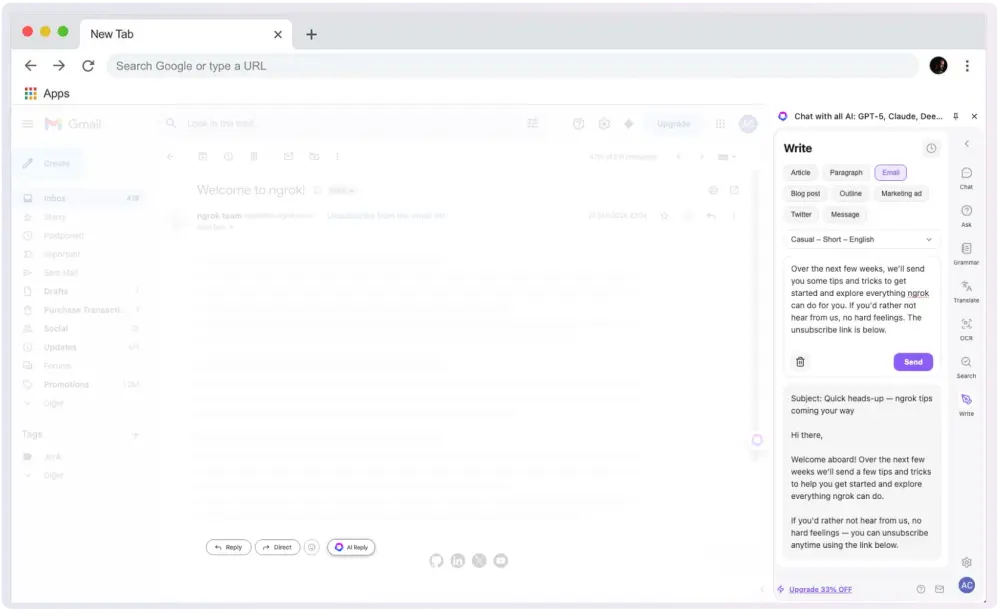
Tạo reply drafts, rewrite paragraphs, polish emails và sắp xếp notes trực tiếp trong browser. GPT Sidebar thêm lớp hỗ trợ Chat GPT extension vào writing process mà không cần mở tab riêng.
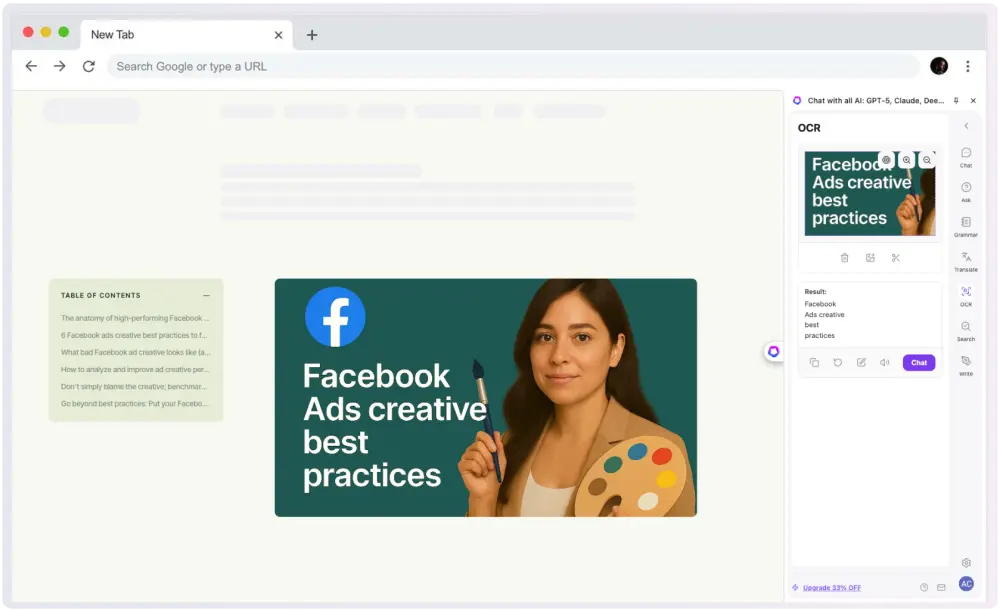
OCR và visual understanding biến screenshots, images và captured content thành text có thể dùng tiếp. Từ cùng AI sidebar, bạn có thể summarize, translate và analyze visual material.
Rút gọn long web pages thành takeaways rõ ràng, translate selected text và tạo research notes trong khi original source vẫn hiển thị. GPT Sidebar làm Chat GPT hữu ích ngay trong browsing session.