Chat GPT stays beside the source
Keep the webpage visible while you ask follow-up questions, collect details and turn raw browsing into usable notes.

GPT Sidebar brings Chat GPT and leading AI models into your browser side panel so you can summarize pages, ask questions, write, translate and compare answers without switching tabs.
1
sidebar for Chat GPT, Claude and Gemini
5+
core workflows: chat, summarize, write, translate, OCR
0
extra tabs required while you work through a page
 OpenAI
 Claude
 Gemini
 DeepSeek
 Grok
Grok Mistral
 Perplexity
 Qwen
Qwen LlamaOpenAIClaudeGeminiDeepSeekGrokMistralPerplexityQwenLlama
ChatGPT Sidebar Extension
GPT Sidebar turns the browser side panel into a practical AI workspace. Instead of copying page text into a separate chat window, you can keep Chat GPT close to the article, document, search result or video you are already reading.
Keep the webpage visible while you ask follow-up questions, collect details and turn raw browsing into usable notes.
Move between Chat GPT, Claude, Gemini and other models from the same extension instead of opening a stack of separate tabs.
Summarize long pages, rewrite text, translate selected passages and compare answers while your original source remains on screen.
Work modes
Different browsing tasks need different kinds of AI help. GPT Sidebar gives Chat GPT, Claude and Gemini a focused place beside your current page, so research, writing, learning and translation stay connected to the source.
Selected workflow
Prompt
Summarize this page and list the claims I should verify.
Current page
Article, document or search result remains open.
Chat GPT answer
Page-aware summary with source context
Faster flow
GPT Sidebar keeps the source, the prompt and the answer in the same browser workspace. That means less context switching, fewer repeated prompts and a smoother path from reading a page to using what you learned.
01
Articles, product docs, search results, videos and internal tools stay visible while GPT Sidebar works beside them.
02
Use Chat GPT or another model to summarize, compare, rewrite, translate or extract details from the current task.
03
Keep the useful answer, ask a follow-up and continue working without rebuilding context in a separate tab.
Copy page text, open a new Chat GPT tab, paste the context and return to the source.
Ask inside the browser side panel while the source remains visible.
Switch between different AI tools to compare answers.
Use multiple leading models from one ChatGPT Sidebar Extension.
Lose time rebuilding context for summaries, writing and translation.
Keep the conversation attached to the browsing workflow.
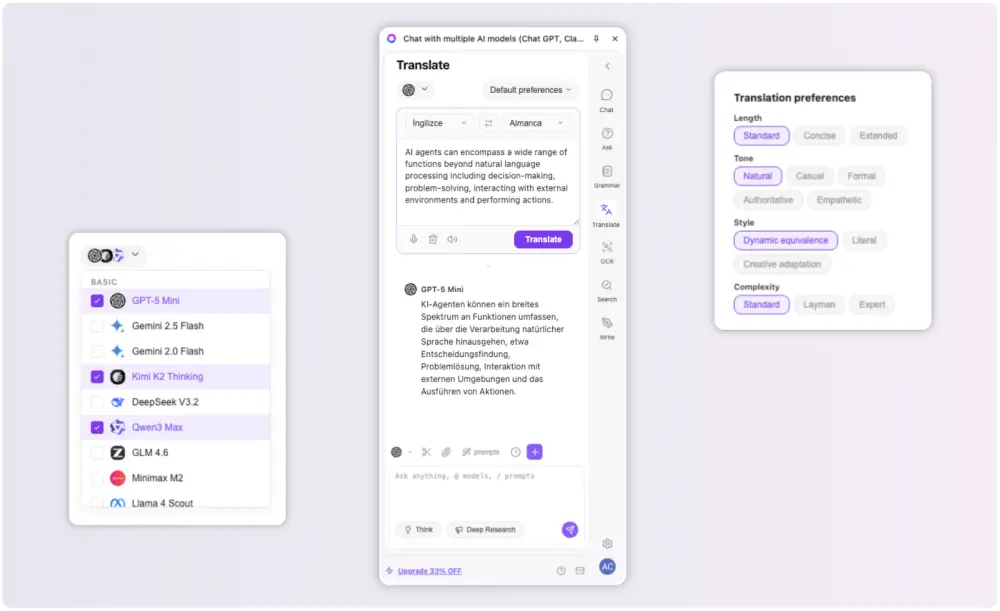
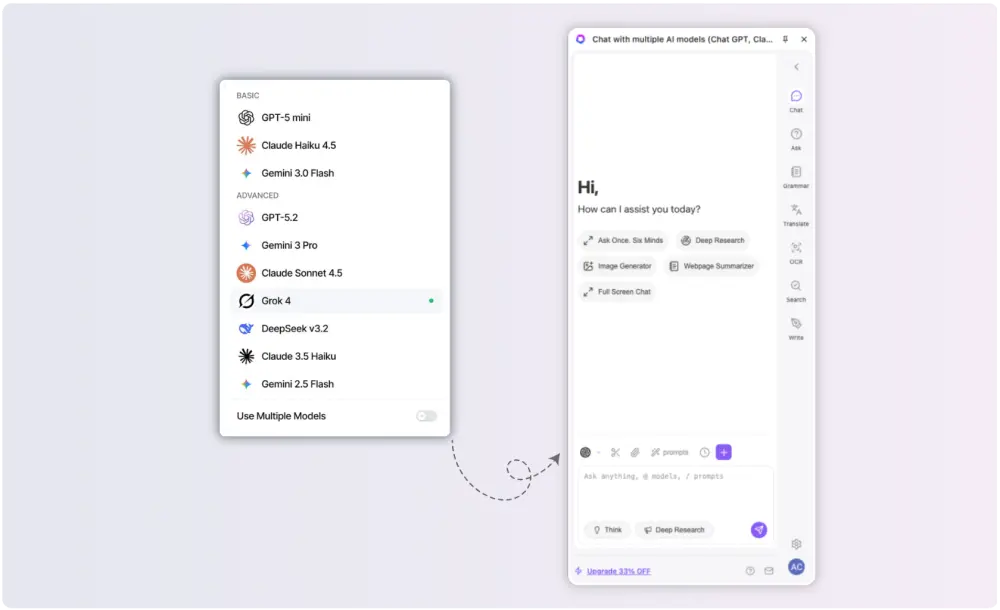
Use Chat GPT, Claude, Gemini, DeepSeek, Grok and Mistral from one browser side panel. GPT Sidebar keeps model switching close to the page so you can compare answers, validate ideas and choose the strongest response without leaving your workflow.
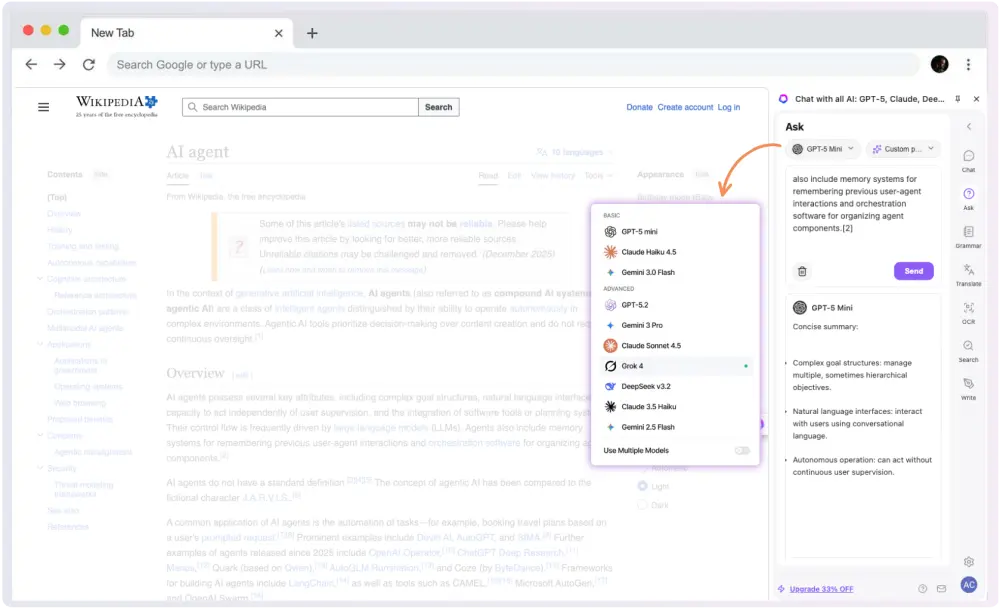
Turn articles, docs, search results and videos into conversations. The sidebar helps you ask focused questions about the current tab, pull out the important details and move from reading to action faster.
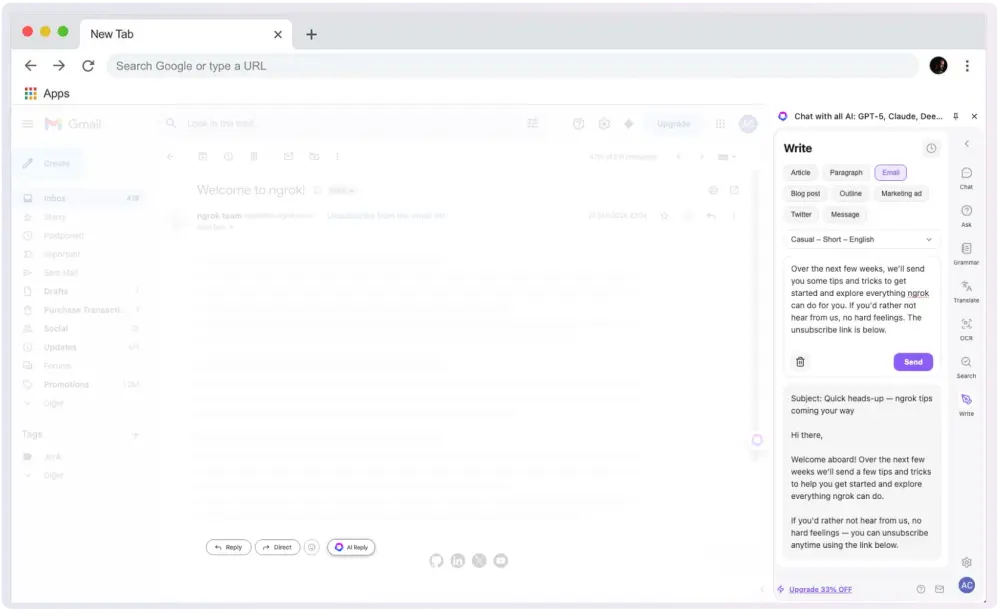
Draft replies, rewrite paragraphs, polish emails and shape notes directly in the browser. GPT Sidebar gives your writing process a Chat GPT extension layer without forcing you into a separate tab.
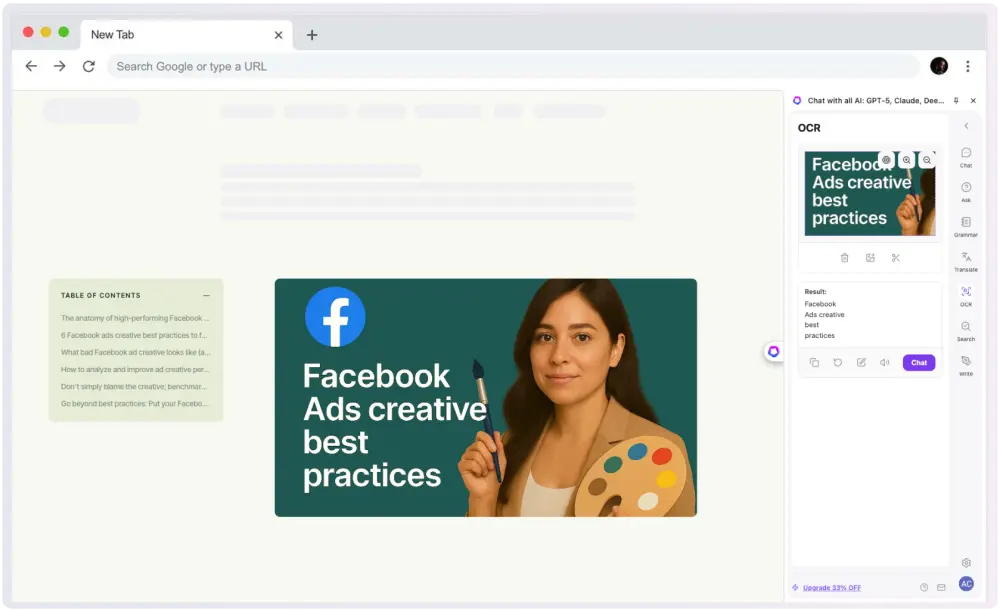
Use OCR and visual understanding to turn screenshots, images and captured content into usable text. Summarize, translate and analyze visual material from the same AI sidebar.
Compress long webpages into clear takeaways, translate selected text and build research notes while the original source stays visible. GPT Sidebar makes Chat GPT useful inside the browsing session itself.